1
/
of
6
My Real Jam Keyboard | Little Tikes New
My Real Jam Keyboard | Little Tikes New
Regular price
$18.50 USD
Regular price
$41.00 USD
Sale price
$18.50 USD
Quantity
Couldn't load pickup availability
Unleash Your Child's Inner Musician!
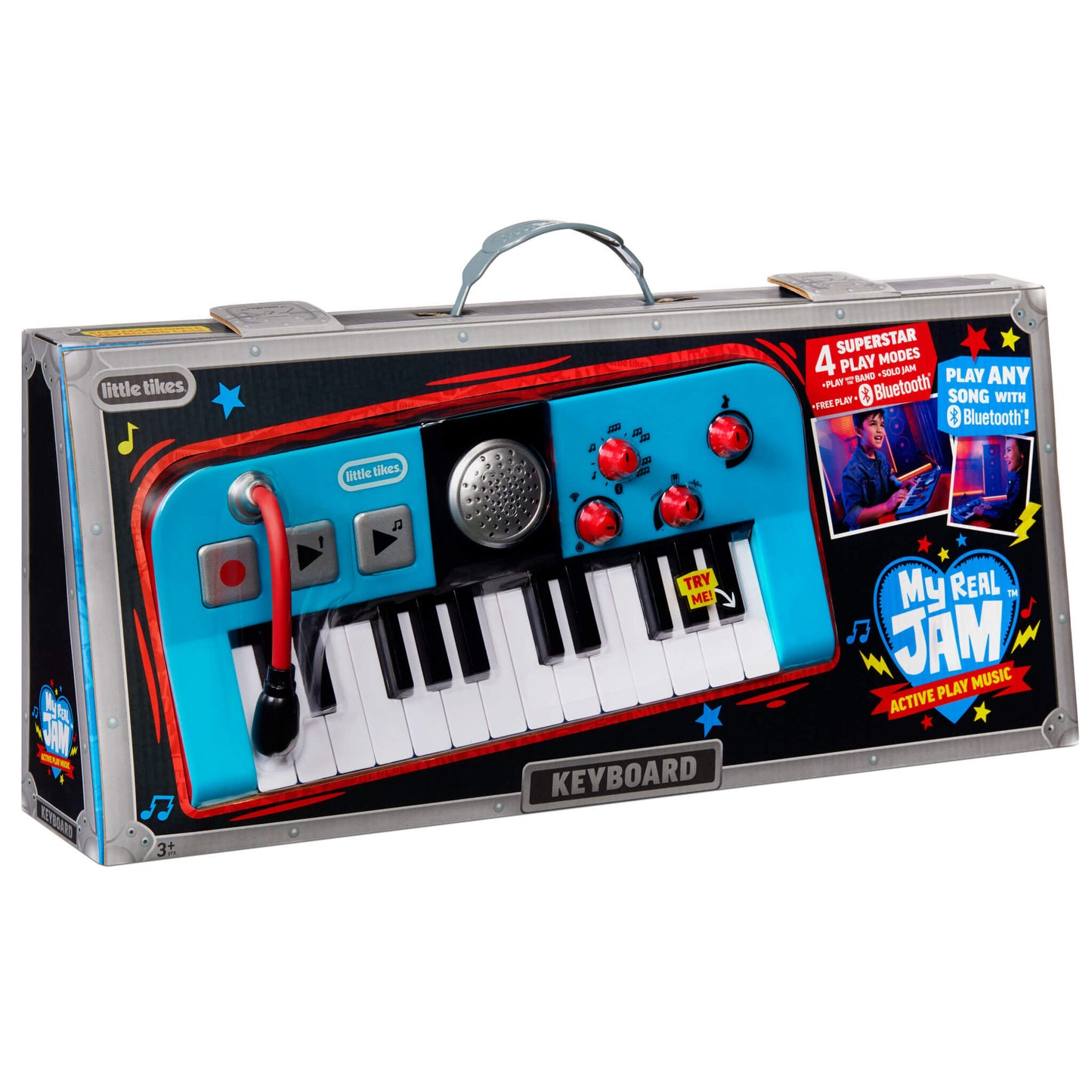
Watch your little Rockstar come alive with the My Real Jam Keyboard! This isn't just another toy—it's a gateway to musical creativity and endless entertainment.
Four Exciting Play Modes:
- Play with the Band – Feel like a real performer with backing tracks
- Free Play – Create original melodies and explore sounds
- Solo Jam – Take center stage and show off those skills
- Play Any Song with Bluetooth® – Connect your device and jam along to favorite tunes
Features That Rock:
- Realistically designed keyboard with authentic keys
- Built-in microphone for singing along
- Reusable keyboard case doubles as storage and travel companion
- Perfect for aspiring musicians ages 3 and up
Whether they're composing their first song or performing for the family, the My Real Jam™ Keyboard provides hours of creative, screen-free fun that builds confidence and musical skills.
Product Size: 13.50"L x 2.65"W x 5.85"H --- Weight: 2.40lbsCarton Size:24.00"L x 5.25"W x 9.00"H --- Weight:2.50lbs
- BECOME A SUPERSTAR. Let’s kids jam their way to center stage with a perfect combo of musical play and pretend play
- PLAY ANY SONG WITH BLUETOOTH®. Sync with any Bluetooth® enabled device to play along your favorite music through the keyboard's speaker
- FOUR PLAY MODES. Play with the Band; Free Play; Solo Jam; Play Any Song (using Bluetooth®)
- LOOKS LIKE THE REAL THING. Realistically designed keyboard and mic are perfectly sized for aspiring young musicians
- VOLUME CONTROL. Parents can control when it's time to crank it up and when it's time to play softly
- REUSABLE PACKAGING. The package doubles as a reusable keyboard case, great for storing and carrying
- BATTERIES. Requires 3 “AA” alkaline batteries (included-install fresh batteries after purchase)
- How to connect Bluetooth®:
- Move the Mode Switch to the Bluetooth® icon. It will continuously play music while it is searching for your device.
- Open the settings menu on your device.
- Select Bluetooth® on your device and make sure it is on.
- Your device will search for the keyboard.
- Select the name “MGA Keyboard” to connect your device.
- On your device, set the volume to the Maximum Volume.
- Choose your favorite song and make sure to put it on Pause.
- Continuously play the keys to start the song. If you stop playing the keyboard, the song will continue for a few seconds and then pause. Play the keyboard again to continue the song.
Share